Great bakery boxes start with print-ready artwork: a vector logo file, a clear placement plan for the lid and sides, and colors chosen for the board you picked. Customized Bakery Boxes turns whatever you send into a free mockup within 24 hours, so this guide shows you what to prepare, what to avoid, and what to check before approving.
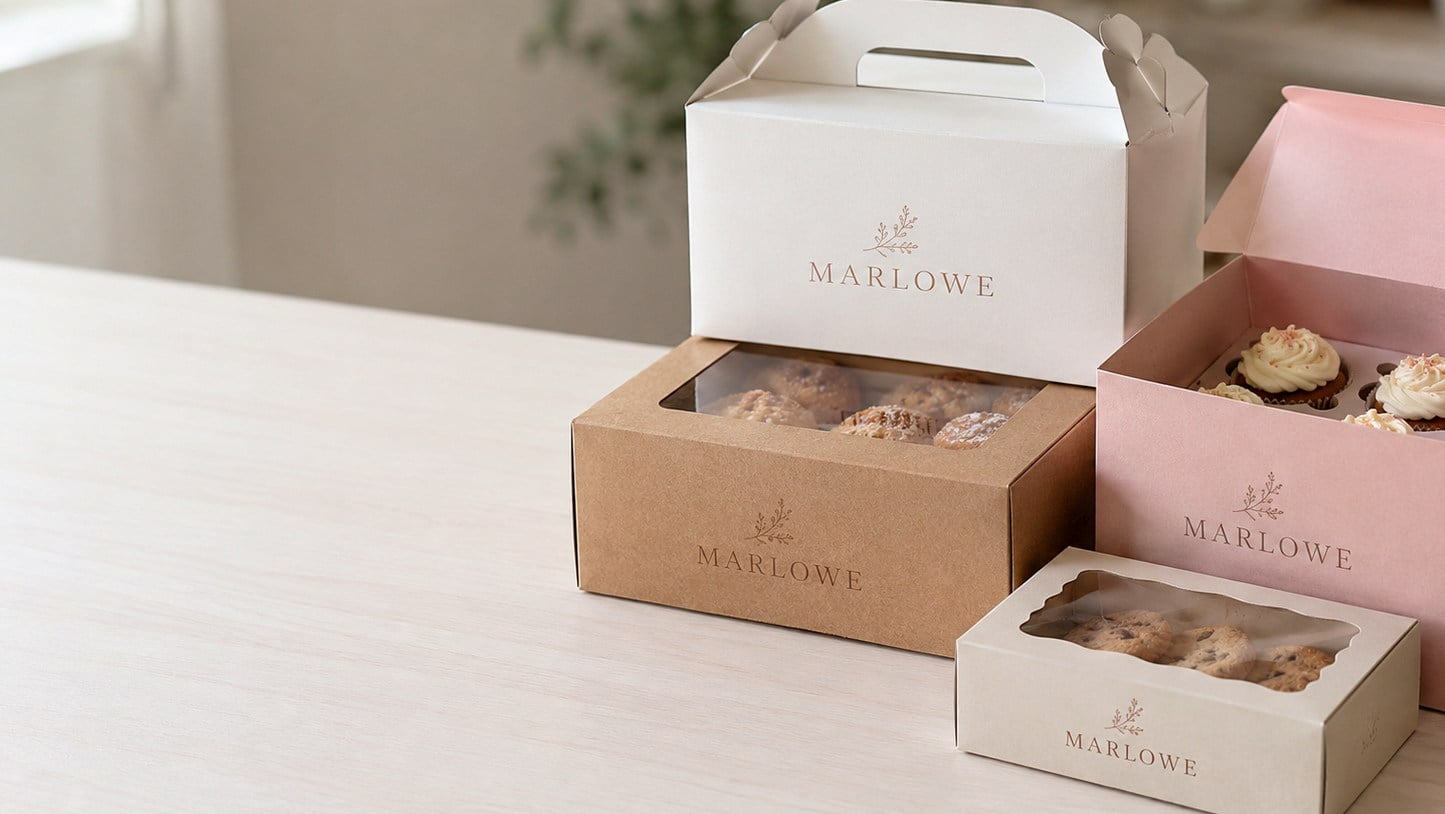
- Vector files (AI, EPS, SVG or vector PDF) give the sharpest print on bakery boxes.
- Customized Bakery Boxes sends a free mockup within 24 hours, with unlimited free revisions.
- You pay nothing until you approve the design.
- Kraft board shows colors darker and warmer than white or coated board.
- Orders start at a minimum of 12 boxes, with standard turnaround of about 2 weeks.
What logo file should I send for custom bakery boxes?
The best file to send for custom bakery boxes is a vector version of your logo: an AI, EPS, SVG or vector PDF. Vector artwork is built from shapes rather than pixels, so it stays crisp whether it prints small on a cookie box side panel or large across a cake box lid.
If you only have a PNG or JPG, send the largest, cleanest version you have. Customized Bakery Boxes can often work from a high-quality raster file, and the art team will tell you on your mockup if the edges look soft or the file needs to be redrawn. What does not work well is a logo cropped from a social media post, a photo of a printed menu or a screenshot of your website header, because those files lose detail long before they reach press size.
- Best: AI, EPS, SVG or a PDF exported from design software with outlined fonts.
- Workable: a large, sharp PNG with a transparent background.
- Avoid: screenshots, phone photos of signage, and tiny favicon-sized images.
If your logo was made by a designer, ask them for the “original” or “master” files. Most bakeries already have them sitting in an email from when the brand was first created.
Where should my logo go on a bakery box?
On most bakery boxes the lid is the hero spot, because the lid is what customers see on the counter, in the car and on the table at a party. Center your logo on the lid for a clean, classic look, or set it toward one corner if you want room for a tagline or a seasonal message.
Placement changes with the box style. A window box loses the middle of the lid to the window, so the logo usually moves to the front flap or the band of board around the window. A cupcake box or pastry and donut box often gets a lid logo plus a small mark on the front panel so the brand shows when boxes are stacked. Tall cake boxes have generous side panels that suit a website, social handle or simple pattern.
- Lid: primary logo, name and short tagline.
- Front panel: a smaller logo that shows on a stacked display.
- Sides: website, social handle, or a repeating brand pattern.
Remember that bakery boxes are folded from a flat sheet. Artwork that runs too close to a fold or a tuck flap can wrap around an edge, which is why your mockup shows the design on the actual box layout rather than a flat logo.
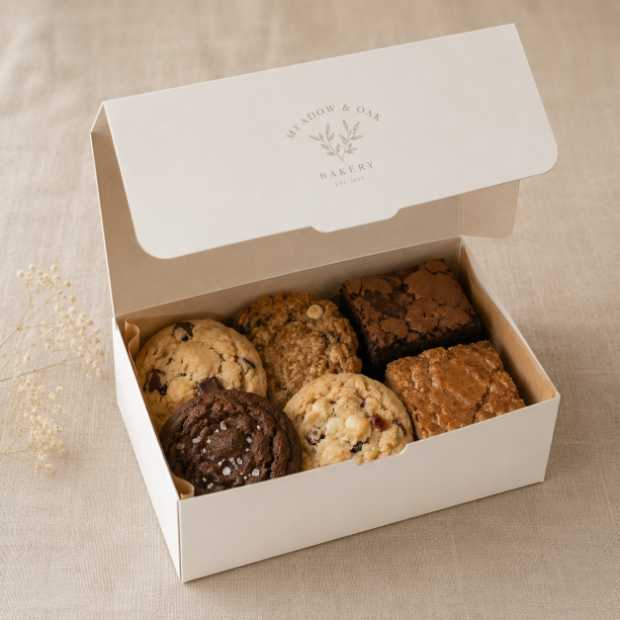
How do colors print on kraft, white and coated bakery boxes?
Colors print differently on each bakery box stock, so pick your palette with the board in mind. White and coated board show colors closest to what you see on screen, while kraft board shows every ink a little darker and warmer because the brown fiber shows through.
| Board | How your colors look | Artwork that works best |
|---|---|---|
| Kraft | Darker, warmer, more muted; pale colors can nearly disappear | Bold, dark logos with few colors, line art, rustic stamps |
| White | Clean and true to your brand colors | Full-color logos, pastels, fine detail |
| Coated | Brightest, sharpest color with a smooth finish | Photographic designs, gradients, premium gift looks |
A common surprise is a soft pink or mint logo that looks lovely on a white screen and fades into kraft board. If your brand leans pastel and you love the kraft look, consider a darker version of your logo for kraft boxes, or choose white board instead. The full trade-offs between stocks are covered in Kraft vs White vs Coated: Choosing a Custom Bakery Box Stock.
If you have official brand color codes, include them with your artwork. Customized Bakery Boxes will match them as closely as the chosen board allows and flag any color that is likely to shift.
What artwork mistakes cause problems on bakery boxes?
Most bakery box artwork problems come from files built for screens rather than for print. The good news is that every one of them is easy to catch at the mockup stage if you know what to look for.
- Low-resolution logos. A file that looks fine on a phone can print blurry on a large lid. Send the original file, not a copy pulled from your website.
- Fine detail and thin lines. Delicate script, hairline borders and tiny illustrated sprinkles can fill in or break up on board, especially kraft. Simplify the mark or print it larger.
- Tiny text. Ingredients, long taglines and small website addresses become hard to read. Keep printed copy short and generous in size.
- Light colors on kraft. Pale inks lose contrast on brown board. Use a darker version of the logo or switch to white board.
- White backgrounds baked into the logo. A JPG logo with a white box behind it will print that box onto kraft board. Use a transparent file or a vector.
- Design on the fold. Text that crosses a fold or a tuck flap can wrap awkwardly. Keep key elements centered on flat panels.
None of these mistakes costs you anything to fix before approval. Customized Bakery Boxes offers unlimited free revisions, and you pay nothing until you approve the design.
Should I put more than a logo on my bakery boxes?
A logo alone is enough for many bakeries, but bakery boxes are one of the few pieces of branding that travel home with every customer, so a little extra information can earn repeat orders. The trick is to add only what a customer will actually use.
Useful additions include your website or online ordering link, your social handle, a short tagline, a QR code that opens your menu or order page, and a reheating or storage tip on the side panel. A pie shop might print “best warmed before serving” on a pie box, while a macaron shop might add a short “keep chilled” note to its macaron boxes.
Be careful with anything that changes often. Seasonal flavors, opening hours and phone numbers can go out of date before you use the last box in the run. If that information matters, put it on a sticker or a printed insert instead and keep the box design timeless. The same thinking applies to allergen and ingredient details, which belong on a product label that changes with the recipe rather than on the box itself.
How do I review a bakery box mockup before approving it?
Review a bakery box mockup by checking it the way a customer would see the finished box: logo, spelling, placement and color, panel by panel. Customized Bakery Boxes sends the mockup within 24 hours of your request, and you can ask for as many changes as you need before anything is printed.
- Read every word out loud. Business name, tagline, website and social handle are where typos hide.
- Check the correct box style and size. Confirm the mockup shows the box you meant to order, such as a standard bakery box versus a cupcake or cookie box.
- Look at placement on each panel. Make sure the logo is centered where you want it and nothing important sits on a fold.
- Judge color against the board. Remember that kraft will look warmer than the mockup on your screen.
- Test the QR code. Scan it from the mockup with your own phone and confirm it opens the right page.
- Ask someone else to look. A second set of eyes catches what you have stopped seeing.
Once you approve, production begins and standard turnaround is about 2 weeks, with faster turnaround available through express shipping. The full ordering flow is laid out on the How It Works page.
Can I use different artwork on different bakery box styles?
Yes, many bakeries use the same core logo across every bakery box style but adjust the layout for each shape. A wide, shallow cookie box suits a horizontal logo, while a tall cake box may look better with a stacked version and a pattern on the sides.
Keeping one master logo and one or two approved color versions makes this easy. Tell the Customized Bakery Boxes team which styles you are ordering and they will lay out each one so your counter display looks like a family rather than a mix of unrelated boxes. When you reorder, ask for the same approved files to be reused so new boxes match the ones already on your shelf. For more on building a consistent look across cups, bags and boxes, see Branded Packaging for Bakeries and Cafes.
Ready to start? Send your logo through the custom quote form, tell us which box styles you need, and your free mockup arrives within 24 hours.
Frequently asked questions
What file format works best for printing a logo on bakery boxes?
Bakery boxes print sharpest from a vector logo file such as AI, EPS, SVG or a vector PDF with fonts converted to outlines. Vector files scale cleanly from a small side panel to a large cake box lid without blurring. If you do not have one, send the largest clean PNG you have and Customized Bakery Boxes will tell you on the mockup whether it prints well.
Can I send a screenshot or phone photo of my logo for bakery boxes?
Bakery boxes need cleaner artwork than a screenshot or phone photo usually provides, because those images lose detail and pick up glare, shadows and blur. Send the original file from your designer if you can. If a screenshot is all you have, Customized Bakery Boxes can review it and let you know whether the logo needs to be cleaned up or redrawn first.
Do I need to hire a designer before ordering custom bakery boxes?
Custom bakery boxes do not require a hired designer if you already have a logo. Send your logo file, your preferred colors and the box styles you want, and the team lays out the design on the actual box shape for your free mockup. You can then request changes as often as needed, since revisions are unlimited and free.
Why do my brand colors look darker on kraft bakery boxes?
Kraft bakery boxes are made from brown board, and ink is slightly translucent, so the brown fiber shows through and makes every color look darker and warmer. Pale shades like blush pink or mint can almost vanish. Bold, dark logos look great on kraft, while pastel brands usually print truer on white or coated board.
Where is the best place to put a logo on a window bakery box?
Window bakery boxes give up the center of the lid to the clear window, so the logo usually moves to the board around the window or onto the front flap. A small logo on the front panel also keeps your brand visible when boxes are stacked. Customized Bakery Boxes shows the exact placement on your mockup before anything prints.
Should allergen information be printed directly on bakery boxes?
Bakery boxes are usually ordered in runs that last through many recipe changes, so allergen and ingredient details are better placed on a product label or sticker that you update as recipes change. Printing them on the box risks outdated information. Keep the printed box design timeless and use labels for anything that varies by product or season.
Can bakery boxes include a QR code that links to my online menu?
Bakery boxes can carry a QR code on the lid or a side panel, and it is one of the most useful extras for encouraging repeat orders. Point it at a page that will not change, such as your main ordering page. Scan the code on your mockup from Customized Bakery Boxes with your own phone before you approve.
Will a gradient or photo-style logo print well on bakery boxes?
Gradient and photo-style logos print best on white or coated bakery boxes, where smooth color transitions and fine detail stay clear. On kraft board, gradients can look muddy because the brown fiber shifts every shade. If your logo relies on a gradient and you prefer kraft, consider a simplified solid-color version for those boxes.
How do I keep my artwork the same when I reorder bakery boxes?
Reordered bakery boxes match best when you reuse the same approved artwork files, colors and box style from your previous order. Mention your earlier order when you request a quote from Customized Bakery Boxes, and the team can start from the approved design so your new boxes look like the ones already on your counter.
Can I order bakery boxes in two different colorways in one order?
Bakery boxes can be ordered in more than one colorway, for example a dark logo on kraft boxes for everyday pastries and a full-color logo on white boxes for celebration cakes. Each design gets its own mockup for approval. Ask about how quantities are split across designs when you request your quote, since every version must be laid out and approved separately.
What happens if I spot a typo on my bakery box mockup?
Bakery box mockups exist precisely so typos are caught before printing. Reply with the correction and Customized Bakery Boxes sends an updated mockup, with unlimited free revisions and nothing to pay until you approve the design. Read your business name, tagline, website and social handle aloud, since those are the places mistakes most often hide.
Get a free mockup for your bakery boxes
Send your logo or idea and the quantity you have in mind. Customized Bakery Boxes returns a free mockup within 24 hours, you approve the design before anything is produced, and standard turnaround is about two weeks with faster options available. Get a custom quote.